Design System
DOS · Design of Simplicity
The color palette draws inspiration from DOS 6.22 and its default colors. This page presents the typography, colors, and interaction styles shared by the website and local tools.
Font usage
Choose a text role for the purpose of the content, then pair it with a color.
Latin & digits · Geist Mono
Latin text and digits use Geist Mono throughout both locales: headings, body text, navigation, dates, labels, and code.
The font is served with the website. Regular text uses weight 400 and emphasis uses 500. Fallbacks are SFMono-Regular, Consolas, and available system fonts, in that order.
Geist Mono · Reading, navigation & code · 0123456789
Chinese · System sans-serif
Chinese uses sans-serif fonts already on the device: PingFang SC, followed by Hiragino Sans GB, Microsoft YaHei, and Noto Sans CJK SC. The actual font depends on the device; no additional Chinese font is downloaded.
All text roles share the --font-reading font stack.
混排示例:杨攀 Pan YANG · 2026 · Geist Mono 与系统黑体。
Hierarchy & composition
- Page titles:
type-title; section headings:type-heading. - Article, project, and link entry titles use
type-entry-title. - Body text, introductions, and descriptions share
type-body; full articles use atype-prosecontainer. - Navigation, buttons, and controls:
type-ui; supporting text:type-meta; primary view switches:type-view-switch.
Each element uses one type-* text role, paired with a text-* color class.
Compose colors with text-* :text-muted for supporting information and text-accent for emphasis. Text and swatch colors are tuned separately. Categories and states also retain text labels.
<h2 class="type-heading">章节标题</h2>
<p class="type-body text-muted">辅助说明</p>
<p class="type-body text-green">已完成 / Complete</p>
<article class="type-prose">…</article>
Scale & rendering
Font sizes use rem and follow the browser’s font-size preference. Section headings and the homepage introduction share a 1.5625rem font size and 1.5 line height. Page titles shrink on narrow screens. Each sample shows its computed font size, line height, and color.
Headings
.type-titlePage titles
把想法写下来,让作品说话。
Make room for thoughtful work.
Aa Bb Cc · 0123456789 · @ & / —
.type-headingSection headings
把想法写下来,让作品说话。
Make room for thoughtful work.
Aa Bb Cc · 0123456789 · @ & / —
.type-entry-titleArticle, project, and link entry titles
把想法写下来,让作品说话。
Make room for thoughtful work.
Aa Bb Cc · 0123456789 · @ & / —
Reading
.type-bodyBody text, introductions, and descriptions
把想法写下来,让作品说话。
Make room for thoughtful work.
Aa Bb Cc · 0123456789 · @ & / —
Interface & metadata
.type-uiNavigation, buttons, and form controls
把想法写下来,让作品说话。
Make room for thoughtful work.
Aa Bb Cc · 0123456789 · @ & / —
.type-metaDates, labels, captions, and copyright
.type-view-switchPrimary view switches
把想法写下来,让作品说话。
Make room for thoughtful work.
Aa Bb Cc · 0123456789 · @ & / —
Long-form reading
.type-prose阅读与节奏 · Reading
留白让句子有呼吸的空间。正文中的 重点内容、轻声强调、强调中的重点 和 删除的文字 各有用途;行内链接与引用式链接保持同样的表达。
Good typography gives words room to breathe. The rhythm of a paragraph comes from its measure, spacing, and contrast — quiet details that keep the meaning in focus.
显式换行保留在同一段落中。
A deliberate line break stays in the same paragraph.
三级标题 · A subsection
段落是阅读的基本单位;标题表达内容之间的关系。
四级标题 · A smaller group
更深的层级复用条目标题的字号,以字重区分。
五级标题 · A detail
以斜体补充区分,保持字号数量克制。
六级标题 · A finer detail
结构仍然保留,字重与斜体共同表达层级。
列表 · Lists
- 无序列表 / Unordered list
- 嵌套项目 / Nested item
- 另一项包含 强调 和
inline code
- 第二个顶层项目 / Another item
- 先阅读 / Read first
- 关注内容 / Follow the content
- 留意节奏 / Notice the rhythm
- 再记录 / Then take notes
- 已完成的示例 / Complete
- 待完成的示例 / Pending
引用 · Quotations
少一点干扰,多一点内容。
A quiet page leaves room for the reader.
嵌套引用 / A quotation within a quotation.
代码 · Code
行内代码 const message = 'Hello, world'; 沿用等宽字体。
const page = {
  title: '阅读与节奏 · Reading',
  language: 'zh-Hans',
  canonical: 'https://yangpan.com/design-system',
};
console.log(page.title);表格 · Tables
| 元素 / Element | 用途 / Purpose | 对齐 / Alignment | 示例 / Sample |
|---|---|---|---|
| 标题 Heading | 表达内容层级 | 居中 Center | 01 |
| 正文 Body | 中英文混排与连续阅读 | 居中 Center | 02 |
| 代码 Code | const readable = true |
居中 Center | 03 |
图片 · Images
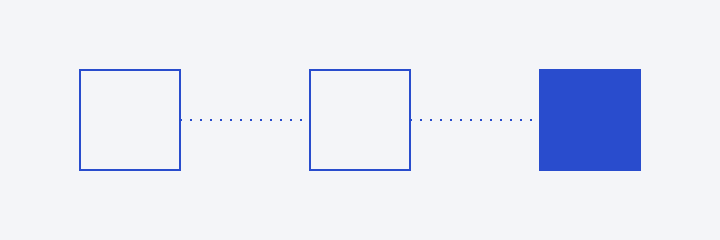
图片说明:形状、留白与阅读方向。 / Shapes, whitespace, and reading direction.
分隔线之后继续正文。脚注将补充信息放在文章末尾。1
Footnotes
-
这是一条脚注示例。A footnote keeps supporting information close, with a link back to the text. ↩
Colors
Each color is shown in HEX, RGB, and HSL. HSL represents hue (0–360°), saturation (0–100%), and lightness (0–100%); lower saturation is closer to gray. Each sample displays its own theme values, with HSL rounded to one decimal place.
Light
Standard blue scale
The steps share a hue and saturation and vary by lightness. Numbers in their names indicate HSL lightness percentages. The scale itself stays the same across themes.
View token names and color values
--blue-40--blue-45--blue-50--blue-55--blue-60--blue-65Blue in use
Links use a brighter step on dark backgrounds. Primary buttons use blue backgrounds and near-white text in both themes.
Link text
--linkPrimary button background
--action-backgroundPrimary button hover
--action-background-hoverPrimary button pressed
--action-background-activeTheme palette
--backgroundPage background
--surfaceControls & surfaces
--textPrimary text
--mutedSecondary text
--accentLinks & accents
--dividerDecorative dividers
Color palette
All colors use 68% saturation. Light-theme yellow swatches use 55% lightness and other swatches use 50%; text adjusts in 5% steps. In the dark theme, red and orange use 55%, yellow, green, teal, and blue use 60%, and purple and pink use 65%. Soft and emphasis backgrounds use 90% / 85% lightness in the light theme and 10% / 15% in the dark theme, paired with primary text. Each color shares one hue. HSL shows defined values; HEX and RGB show computed browser values.
--color-red-surface--color-red-surface-strongRed
--color-red--color-red-text.text-red--color-orange-surface--color-orange-surface-strongOrange
--color-orange--color-orange-text.text-orange--color-yellow-surface--color-yellow-surface-strongYellow
--color-yellow--color-yellow-text.text-yellow--color-green-surface--color-green-surface-strongGreen
--color-green--color-green-text.text-green--color-teal-surface--color-teal-surface-strongTeal
--color-teal--color-teal-text.text-teal--color-blue-surface--color-blue-surface-strongBlue
--color-blue--color-blue-text.text-blue--color-purple-surface--color-purple-surface-strongPurple
--color-purple--color-purple-text.text-purple--color-pink-surface--color-pink-surface-strongPink
--color-pink--color-pink-text.text-pinkText colors
.text-primary
Primary text
The quick brown fox.
.text-muted
Supporting text
The quick brown fox.
.text-accent
Accent text
The quick brown fox.
.text-inverse
Inverse text
The quick brown fox.
Dark
Standard blue scale
The steps share a hue and saturation and vary by lightness. Numbers in their names indicate HSL lightness percentages. The scale itself stays the same across themes.
View token names and color values
--blue-40--blue-45--blue-50--blue-55--blue-60--blue-65Blue in use
Links use a brighter step on dark backgrounds. Primary buttons use blue backgrounds and near-white text in both themes.
Link text
--linkPrimary button background
--action-backgroundPrimary button hover
--action-background-hoverPrimary button pressed
--action-background-activeTheme palette
--backgroundPage background
--surfaceControls & surfaces
--textPrimary text
--mutedSecondary text
--accentLinks & accents
--dividerDecorative dividers
Color palette
All colors use 68% saturation. Light-theme yellow swatches use 55% lightness and other swatches use 50%; text adjusts in 5% steps. In the dark theme, red and orange use 55%, yellow, green, teal, and blue use 60%, and purple and pink use 65%. Soft and emphasis backgrounds use 90% / 85% lightness in the light theme and 10% / 15% in the dark theme, paired with primary text. Each color shares one hue. HSL shows defined values; HEX and RGB show computed browser values.
--color-red-surface--color-red-surface-strongRed
--color-red--color-red-text.text-red--color-orange-surface--color-orange-surface-strongOrange
--color-orange--color-orange-text.text-orange--color-yellow-surface--color-yellow-surface-strongYellow
--color-yellow--color-yellow-text.text-yellow--color-green-surface--color-green-surface-strongGreen
--color-green--color-green-text.text-green--color-teal-surface--color-teal-surface-strongTeal
--color-teal--color-teal-text.text-teal--color-blue-surface--color-blue-surface-strongBlue
--color-blue--color-blue-text.text-blue--color-purple-surface--color-purple-surface-strongPurple
--color-purple--color-purple-text.text-purple--color-pink-surface--color-pink-surface-strongPink
--color-pink--color-pink-text.text-pinkText colors
.text-primary
Primary text
The quick brown fox.
.text-muted
Supporting text
The quick brown fox.
.text-accent
Accent text
The quick brown fox.
.text-inverse
Inverse text
The quick brown fox.
Links & controls
Controls are 40px tall by default and 44px on touchscreens, with 12px horizontal padding and 16px box padding. Hover or press Tab to inspect hover and keyboard focus states.
Links & navigation
Prose links are underlined by default. Navigation and entry titles use primary text colors; utility links use gray. Hover and keyboard focus turn links blue, and current navigation stays blue. Internal and external links follow the same functional color rules.
Light
.type-ui text-accentView headingsIn prose, internal links and external links.
.text-interactive.text-interactive / aria-pressedPrimary action / enabled & disabledButton / multiline labelDark
.type-ui text-accentView headingsIn prose, internal links and external links.
.text-interactive.text-interactive / aria-pressedPrimary action / enabled & disabledButton / multiline labelCheckboxes
A check mark means selected; a dash means partially selected. Click the label, or focus with Tab and press Space to toggle. Disabled controls retain their current state.
Light
.control-checkbox / .control-choiceDark
.control-checkbox / .control-choiceRadio buttons
Only one option can be selected per group. Tab into the group, then use the arrow keys to switch. A dot marks the selection; there is no partially selected state.
Light
.control-radio / .control-choiceDark
.control-radio / .control-choiceSelects
Compare enabled and disabled states. Enabled examples include long labels and unavailable options.
Light
Select / .type-uiSelect / narrow & long labelSelect / disabledDark
Select / .type-uiSelect / narrow & long labelSelect / disabledText inputs
Single-line fields hold short text; multiline fields hold paragraphs.
Light
TextField / .type-uiTextField / multilineDark
TextField / .type-uiTextField / multilineInput states
Read-only content can be selected and copied. Disabled controls cannot be operated. Error states also provide a text message.
Light
TextField / readonlyTextField / disabledTextField / errorDark
TextField / readonlyTextField / disabledTextField / errorComplete composition
Compare the same content in light and dark themes. Press Tab to see actual focus. The focus appearance example keeps its outline visible for comparison.
Light
Leave a thought
Record observations clearly to make your next reading more rewarding.
View reading textDark
Leave a thought
Record observations clearly to make your next reading more rewarding.
View reading textIcons
Light
Interface icons
Dark
Interface icons
Decoration
Light
Drop cap
.type-dropcap我喜欢清晰、简洁的文字。首字放大,让阅读有一个明确的起点。
Every story begins with a single letter. A considered initial gives the opening paragraph its own rhythm.
Wordmark
.text-accentBreathing cursors
.type-title作品
Projects
.type-bodyText and cursor
.type-metaDiagram text
.type-diagram-title
.type-diagram-note
ASCII art
.type-ascii
 (o_)
_/ )-
 | |
-----
Dark
Drop cap
.type-dropcap我喜欢清晰、简洁的文字。首字放大,让阅读有一个明确的起点。
Every story begins with a single letter. A considered initial gives the opening paragraph its own rhythm.
Wordmark
.text-accentBreathing cursors
.type-title作品
Projects
.type-bodyText and cursor
.type-metaDiagram text
.type-diagram-title
.type-diagram-note
ASCII art
.type-ascii
 (o_)
_/ )-
 | |
-----
Copywriting reference:Chinese Copywriting Style Guide (in Chinese)(LeanCloud).