Mi Remote Helper is a native macOS app that connects the microphone on a Xiaomi Bluetooth Remote 2 Pro (RC003) to WeChat Input, with customizable remote buttons.
Visit the project website for app screenshots, setup instructions, and the Mac download.
Hold the voice button to speak, then release it to finish. The input method performs speech recognition; the app delivers the audio and triggers the input method’s shortcut.
Features
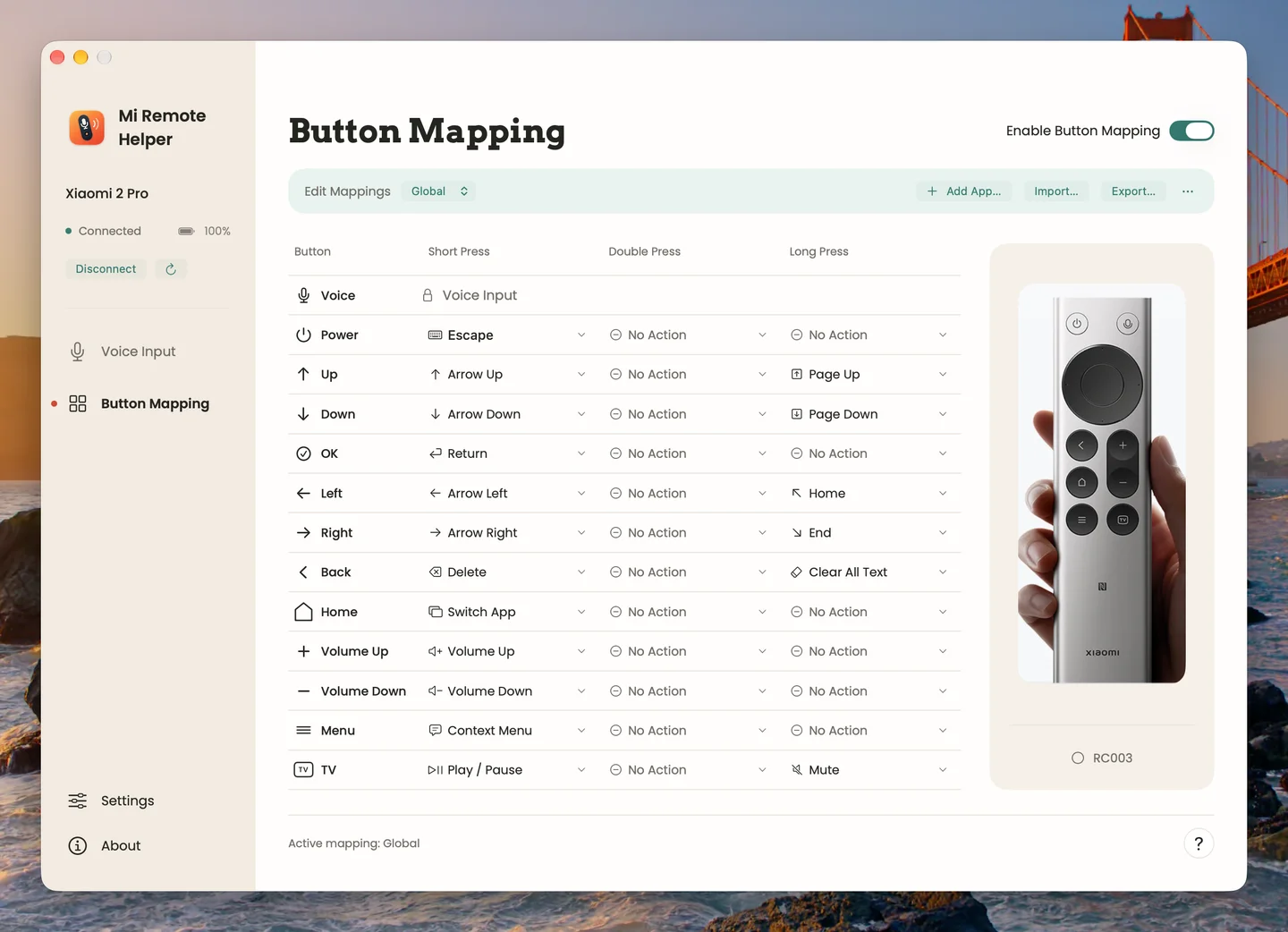
- Configure short, double, and long presses independently for 12 buttons; the voice button remains dedicated to dictation.
- Use global and per-app button mappings, shortcut recording, and JSON import and export.
- Adjust microphone gain and whisper mode, with input-level and battery indicators.
- Run from the menu bar, launch at login, and use English or Simplified Chinese interfaces.
Requirements
An Apple Silicon Mac running macOS 14 or later and a Xiaomi Bluetooth Remote 2 Pro (RC003). Install BlackHole 2ch separately or use a compatible MiRemoteV virtual audio device, and configure voice input in WeChat Input.
Open-source release
The project is licensed under GPL-3.0-only. Its first release, v1.0.0, was published on October 9, 2026.