字体与排版
本站的字体、排版、色彩与交互样式一览。
字体使用说明
按内容的用途选择文字样式,再搭配颜色。
衬线字体 · 阅读
标题、正文和介绍使用衬线字体。英文与数字使用 EB Garamond;中文依次尝试宋体 SC、Noto Serif CJK SC、思源宋体、SimSun,最后使用系统衬线字体。
常规字重为 400,正文强调使用 500。中英混排沿用同一文字角色,中文的实际字形取决于设备已安装的字体。
Thoughtful typography makes room for reading.
等宽字体 · 界面英文与数字
导航、日期、标签和控件中的英文与数字使用 IBM Plex Mono。后备字体依次为 SFMono-Regular、Consolas、苹方 SC、Microsoft YaHei 和系统等宽字体;中文会使用可用的中文字形,不保证与拉丁字母等宽。
导航、按钮、输入框与下拉选择共用 type-ui;日期、标签和版权共用 type-meta。标签类小字用于简短信息,不作为长段正文。
无衬线字体 · 界面中文
导航、标签、日期说明和输入控件中的中文,使用字体栈中的苹方 SC、微软雅黑等无衬线后备字体。实际使用哪一种取决于设备安装的字体;这些中文字体不由网站下载。
“衬线 / 无衬线”描述笔画端部的形态,“等宽 / 比例宽”描述字符的宽度,是两个不同维度。IBM Plex Mono 属于无衬线等宽字体;中文后备字形不保证与拉丁字母等宽。
网站目前共享两套字体栈:阅读用 --font-serif,界面用 --font-mono。无衬线中文已包含在界面字体栈中,继续使用 type-ui或 type-meta。
月份选择 / Select month · 2026-10
层级与搭配
- 页面标题:
type-title;章节标题:type-heading。 - 文章、作品与链接条目标题统一使用
type-entry-title。 - 正文、开篇介绍和描述共用
type-body;整篇文章使用type-prose容器。 - 导航、按钮和控件:
type-ui;辅助文字:type-meta;主要视图切换:type-view-switch。
每个元素选择一个文字角色,通过颜色 class 表达强调或弱化。HTML 标签表达内容结构,class 控制外观;标题仍使用正确层级的 h1、h2、h3。
颜色通过 text-* 组合:text-muted 用于辅助信息,text-accent 用于强调。调色盘中的文字色与色块色分别适配,分类或状态同时保留文字说明。
<h2 class="type-heading">章节标题</h2>
<p class="type-body text-muted">辅助说明</p>
<p class="type-body text-green">已完成 / Complete</p>
<article class="type-prose">…</article>
字号与显示
字号使用 rem,跟随浏览器的字号偏好。页面标题在窄屏自动缩小;示例下方展示当前计算出的字号、行高和颜色。
EB Garamond 与 IBM Plex Mono 随网站本地加载,不请求外部字体服务。中文使用系统后备字体,不同设备的字形可能不同。页首方块字标是 SVG 图形,不是可用于正文的字体。
标题
.type-title页面标题
把想法写下来,让作品说话。
Make room for thoughtful work.
Aa Bb Cc · 0123456789 · @ & / —
.type-heading章节标题
把想法写下来,让作品说话。
Make room for thoughtful work.
Aa Bb Cc · 0123456789 · @ & / —
.type-entry-title文章、作品与链接条目标题
把想法写下来,让作品说话。
Make room for thoughtful work.
Aa Bb Cc · 0123456789 · @ & / —
阅读文字
.type-body正文、介绍与描述
把想法写下来,让作品说话。
Make room for thoughtful work.
Aa Bb Cc · 0123456789 · @ & / —
界面与元信息
.type-ui导航、按钮与表单控件
把想法写下来,让作品说话。
Make room for thoughtful work.
Aa Bb Cc · 0123456789 · @ & / —
.type-meta日期、标签、注释与版权
.type-view-switch主要视图切换
把想法写下来,让作品说话。
Make room for thoughtful work.
Aa Bb Cc · 0123456789 · @ & / —
正文组合
.type-prose阅读与节奏 · Reading
留白让句子有呼吸的空间。正文中的 重点内容、轻声强调、强调中的重点 和 删除的文字 各有用途;行内链接与引用式链接保持同样的表达。
Good typography gives words room to breathe. The rhythm of a paragraph comes from its measure, spacing, and contrast — quiet details that keep the meaning in focus.
显式换行保留在同一段落中。
A deliberate line break stays in the same paragraph.
三级标题 · A subsection
段落是阅读的基本单位;标题表达内容之间的关系。
四级标题 · A smaller group
更深的层级复用条目标题的字号,以字重区分。
五级标题 · A detail
以斜体补充区分,保持字号数量克制。
六级标题 · A finer detail
结构仍然保留,字重与斜体共同表达层级。
列表 · Lists
- 无序列表 / Unordered list
- 嵌套项目 / Nested item
- 另一项包含 强调 和
inline code
- 第二个顶层项目 / Another item
- 先阅读 / Read first
- 关注内容 / Follow the content
- 留意节奏 / Notice the rhythm
- 再记录 / Then take notes
- 已完成的示例 / Complete
- 待完成的示例 / Pending
引用 · Quotations
少一点干扰,多一点内容。
A quiet page leaves room for the reader.
嵌套引用 / A quotation within a quotation.
代码 · Code
行内代码 const message = 'Hello, world'; 沿用等宽字体。
const page = {
  title: '阅读与节奏 · Reading',
  language: 'zh-Hans',
  canonical: 'https://yangpan.com/typography',
};
console.log(page.title);表格 · Tables
| 元素 / Element | 用途 / Purpose | 对齐 / Alignment | 示例 / Sample |
|---|---|---|---|
| 标题 Heading | 表达内容层级 | 居中 Center | 01 |
| 正文 Body | 中英文混排与连续阅读 | 居中 Center | 02 |
| 代码 Code | const readable = true |
居中 Center | 03 |
图片 · Images
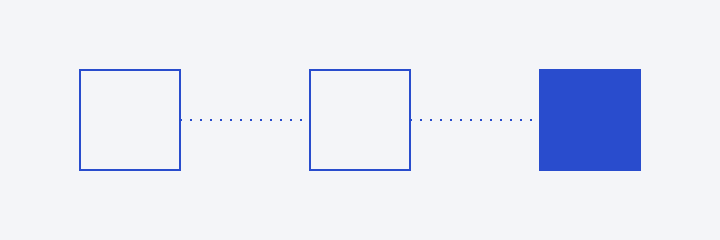
图片说明:形状、留白与阅读方向。 / Shapes, whitespace, and reading direction.
分隔线之后继续正文。脚注将补充信息放在文章末尾。1
Footnotes
-
这是一条脚注示例。A footnote keeps supporting information close, with a link back to the text. ↩
颜色
每种颜色同时提供 HEX、RGB 和 HSL 表示。HSL 的三个数值依次是色相(0–360°)、饱和度(0–100%)和明度(0–100%);饱和度越低越接近灰色。数值随主题切换,HSL 保留一位小数。
主题色板 / Theme palette
--background页面背景
--surface控件与表面
--text主要文字
--muted辅助文字
--accent链接与强调
--divider装饰分隔线
调色盘 / Color palette
所有颜色的饱和度统一为 68%。浅色主题的色块明度统一为 50%,文字按 5% 档位调整;深色主题使用 60% 或 65%。同一颜色共用色相。HSL 显示定义值,HEX 与 RGB 显示浏览器计算值。
红 / Red
--color-red--color-red-text.text-red橙 / Orange
--color-orange--color-orange-text.text-orange黄 / Yellow
--color-yellow--color-yellow-text.text-yellow绿 / Green
--color-green--color-green-text.text-green青 / Teal
--color-teal--color-teal-text.text-teal蓝 / Blue
--color-blue--color-blue-text.text-blue紫 / Purple
--color-purple--color-purple-text.text-purple粉 / Pink
--color-pink--color-pink-text.text-pink文字颜色 / Text colors
.text-primary
主要文字
The quick brown fox.
.text-muted
辅助文字
The quick brown fox.
.text-accent
强调文字
The quick brown fox.
.text-inverse
反色文字
The quick brown fox.
链接与控件
移动鼠标或按 Tab,查看悬停与键盘焦点。
链接与导航 / Links & navigation
文字链接、当前项与菜单链接。
下拉选择 / Selects
对照可用与禁用状态;可用示例包含长选项和不可选项。
Select / .type-uiSelect / disabled文本输入 / Text inputs
单行用于简短内容,多行用于段落内容。
TextField / .type-uiTextField / multiline输入状态 / Input states
只读内容可以选择和复制;禁用控件不可操作;错误状态同时提供文字提示。
TextField / readonlyTextField / disabledTextField / error装饰 / Decoration
首字 / Drop cap
.type-dropcap我喜欢清晰、简洁的文字。首字放大,让阅读有一个明确的起点。
Every story begins with a single letter. A considered initial gives the opening paragraph its own rhythm.
字标 / Wordmark
.text-accent网站图标 / Favicon

呼吸光标 / Breathing cursors
.type-title作品
Projects
.type-body文字与光标 / Text and cursor
.type-meta图示文字 / Diagram text
.type-diagram-title
.type-diagram-note